

What Campaigns Do
You can use campaigns to:- contact a list of recipients with an agent
- upload recipient data from a CSV
- control when calls should happen
- retry contacts when a goal is not met
- pause and resume the journey when a callback is requested
How to Create a Campaign
When you create a campaign, you first configure the campaign setup screen.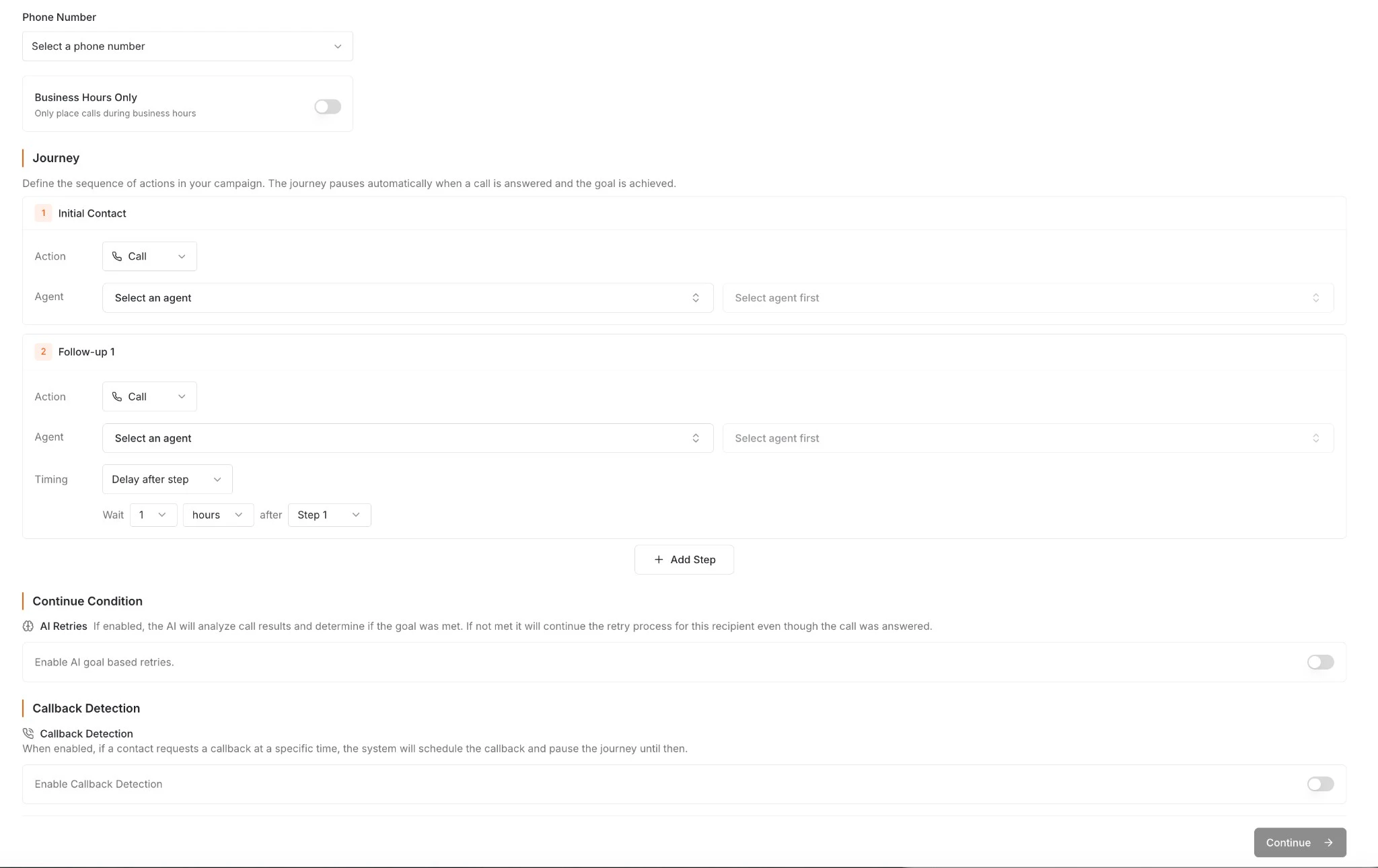
- a campaign name
- the phone number the campaign will use
- whether the campaign should follow your organization’s business hours
- the journey steps
- retry and continue condition behavior
- callback detection settings
Business Hours Only is enabled, Simple AI uses the business hours configured for your organization and keeps outbound attempts and retry calls within those time windows.
Campaign Journey
The campaign journey defines the sequence of actions for each recipient. Journeys are not limited to phone calls — you can mix voice, messaging, and integration steps to build multi-channel outreach flows.Available Step Types
You can combine these steps in any order to build the journey that fits your use case. For example:
- Call → wait 2 hours → SMS follow-up → wait 1 day → second call attempt
- Call → log result to Google Sheets → send Slack alert if tagged “escalation”
- SMS intro → wait 30 minutes → call → email summary
Retry Settings
Retries let you control what happens after the initial contact attempt. You can configure:- how many follow-up steps to include
- how long to wait between steps
- whether retries should continue when the goal was not met
- whether retries should stop when the contact has already responded successfully
Callback Detection
If callback detection is enabled and a contact asks to be called back at a specific time, the system can schedule that callback and pause the journey until then. This helps campaigns feel more natural and prevents follow-up attempts from continuing when the caller has already requested a better time.Uploading Campaign Data
Campaign uploads use a CSV file with one row per recipient. During setup, you map each CSV column to the variables defined in the agent builder so each recipient’s row can be used during calls.
- a
phone_numbercolumn - one row for each person you want to contact
Starting and Scheduling Campaigns
Once your campaign data is uploaded, you can either:- run the campaign immediately
- schedule it for a later date and time

Reviewing and Exporting Data
Once campaign calls start rolling out, you can review the results directly in Simple AI. This includes campaign call data such as tags, analyzers, transcripts, and other call attributes so you can understand what happened across the campaign. When you are ready, you can also export this data as a CSV and use it in your own reporting or operational workflows.